Mason’s Nerdy Icon
154 lines of Python Turtle Graphics, written without AI — three hours of pure craft.
Stage 1: the original. Stage 2: the upgrade. Both belong here.
The Code as Written
This is a CodeHS Python Turtle Graphics assignment completed without AI assistance or any outside help.
The code draws a nerdy emoji face from scratch using only forward(), backward(),
left(), right(), circle(), and begin_fill()/end_fill().
Every angle, every radius, every color value was chosen by hand.
“i did this all by myself without an ai or outward assistents — it took me like three hours” — Mason, first two lines of his source code
# i did this all by myself without an ai or outward assistents# it took me like three hoursspeed(8)bgcolor("#010256")penup()backward(50)pensize(10)color("#f4e650")circle(75, 90)pendown()circle(75, 180)color("#f3d14a")circle(75, 180)circle(75, -90)left(90)forward(10)right(90)#circle2pendown()begin_fill()circle(65)end_fill()#cricle2 endpenup()right(90)forward(10)left(90)circle(75, 105)color("black")pendown()pensize(5)left(55)forward(60)backward(60)left(20)pensize(10)forward(145)right(160)pensize(5)forward(60)backward(60)right(90)forward(45)left(70)forward(42.5)left(70)forward(45)right(140)forward(45)left(70)forward(42.5)left(70)forward(45)left(110)forward(40)penup()left(90)forward(27.5)left(90)color("black")begin_fill()circle(12.5)end_fill()penup()backward(72.5)begin_fill()circle(12.5)end_fill()penup()backward(5)left(90)forward(11)right(90)color("white")pendown()begin_fill()circle(3.5)end_fill()penup()forward(72.5)pendown()begin_fill()circle(3.5)end_fill()penup()color("black")right(90)forward(11)left(90)forward(5)left(90)forward(27.5)right(90)forward(40)left(105)circle(75, -105)left(90)forward(40)right(90)pensize(1)forward(20)pendown()backward(40)right(90)begin_fill()circle(20, 180)end_fill()left(90)forward(20)penup()forward(10)left(90)color("white")pendown()begin_fill()forward(8)circle(10, 180)forward(8)left(90)forward(20)end_fill()penup()forward(25)color("#ed3e4a")pendown()begin_fill()circle(5)end_fill()penup()backward(80)pendown()begin_fill()circle(2.5)end_fill()left(90)penup()forward(10)right(90)forward(15)begin_fill()circle(3.7)end_fill()penup()forward(40)left(90)forward(20)left(90)pendown()begin_fill()circle(2)end_fill()penup()forward(400)
Output
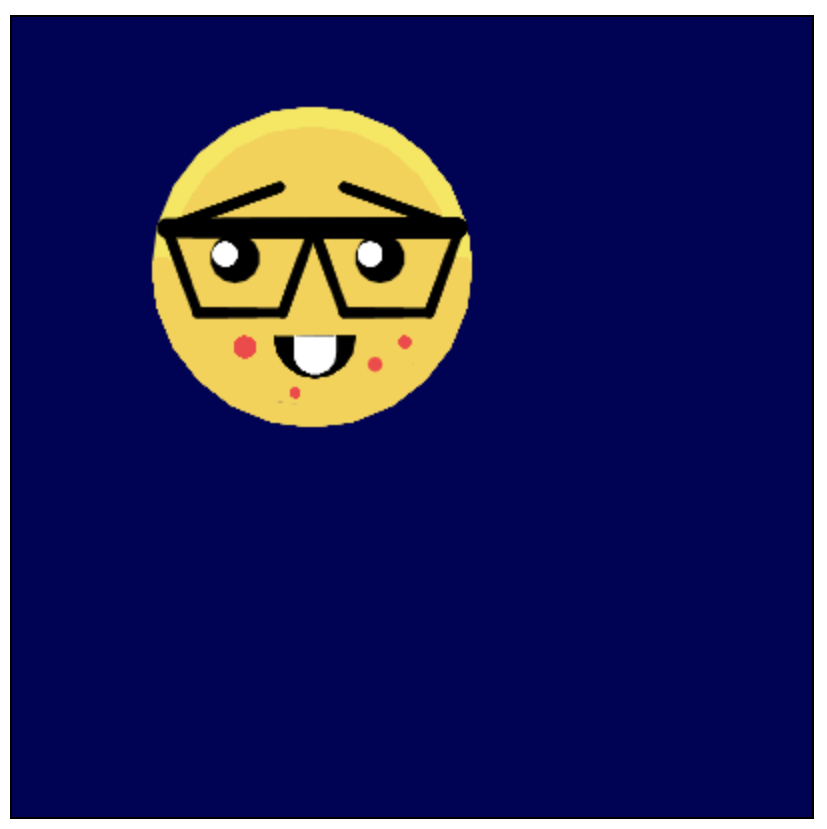
The nerdy emoji, rendered by Python’s turtle module.
Every curve, angle, and color was hand-coded — no SVG, no library.