
Stage 1: Raw p5js
Griffin, an intrepid TNT student, coded a rocket animation in raw p5js. It has a simple design and basic animation, but it works! In Stage 1 of this saga, we will analyze Griffin's code to understand how it creates the rocket and its motion. This will give us a starting point for our transformation into a SketchWaveJS masterpiece in the stages to come.
Study Claude's suggestions for improving the code's structure, readability, and maintainability. In Stage 2, we will apply these improvements to create a cleaner, more modular version of the rocket animation that still uses raw p5js. This will set the stage for our transition to SketchWaveJS in Stage 3, where we will leverage the power of the library to enhance our rocket design and animation.

Stage 2: Professional JS
The rocket looks identical to Stage 1 — this stage is entirely about code quality. Every magic number becomes a named constant, colors move into a palette array, and draw() shrinks to a 3-line table of contents.
⭐ Star technique upgrade: Stage 1 re-randomizes every star’s position 60 times per second, causing an unintended drift. Stage 2 generates positions once in setup() and only re-randomizes alpha each frame — stars twinkle without drifting. The spread operator (...CLR_STAR) makes per-call alpha elegant and concise.
Compare Stages 1 and 2: see if you have a preference for the way in which the stars are handled in each stage. One give the perception of motion, the other is more efficient and visually stable. Which do you prefer, and why?
Open rocketStg2 → Stage 2 Showcase →
Stage 3: Moving Stars Illusion
The rocket is still drawn in the same place every frame — but now the star field scrolls downward, tricking the eye into reading the background motion as the rocket flying upward. This is the classic parallax illusion used in side-scrolling games.
🔁 The wrapping loop: when a star exits the bottom of the canvas, it re-enters at the top with a fresh random x, so the field feels infinite. Just one new constant — STAR_SPEED — drives the whole effect.
⚠️ Trade-off: star objects now carry mutable state (their y changes each frame). Stage 2 stars were pure read-only data. This is a meaningful distinction that becomes important in larger programs.
🧑🚀 Bonus Stage: RocketMan!
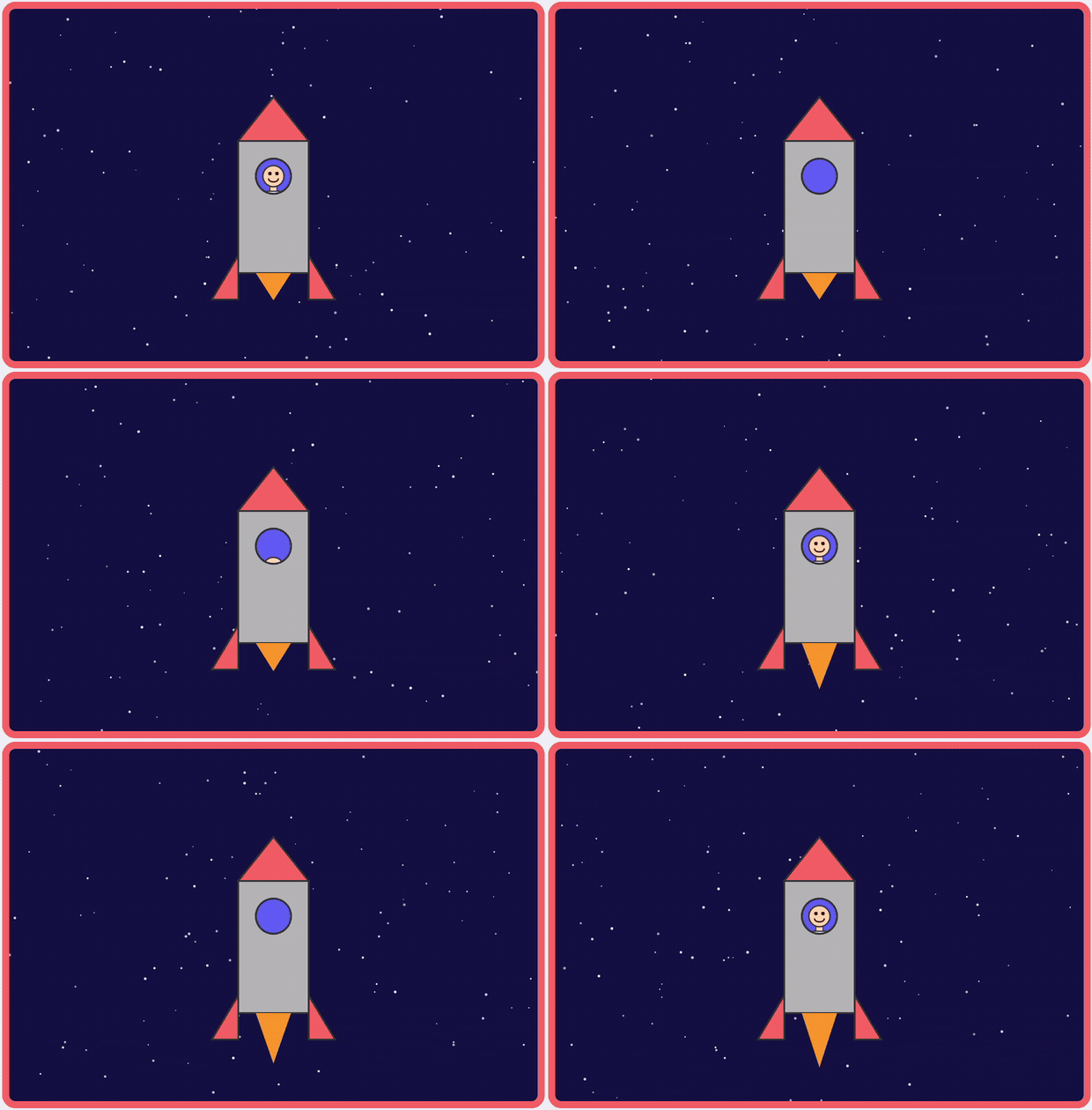
Same Stage 3 star field — but now the flame pulses using a sinusoidal animation, and an astronaut periodically peeks out of the porthole and slides back inside. Pure p5.js, no SketchWave library.
🎭 Canvas 2D clip path:
drawingContext.clip() restricts all drawing to the
porthole circle, so the astronaut’s head, neck, and spacesuit
only ever appear through the window — exactly like a
cookie cutter on dough.
🎵 Inspired by Elton John’s “Rocket Man.” See the Rocket Man movie clip for background on the artist, the 1972 song, and the Ray Bradbury story that inspired it.

Stage 4: SketchWave Classes
Every rocket part is now a SketchWave object: the body is an
SWRectangle, the nose cone and fins are SWTriangles,
and the porthole is an SWDisk. Colors are named SWColor
instances in HSB space.
🔥 Flame flicker: a SWSinusoid drives the
flame tip vertex up and down each frame — just one line in
draw(). 💡 Porthole pulse: a second
sinusoid breathes the porthole’s radius in and out. Both animations
required fewer than 10 new lines total.
📦 Key trade-off: six extra <script>
tags load the SW class library, and setup() is longer — but
every future animation is now just “add a sinusoid, update a property.”