
Island 1: A Single Cell
The saga begins here. A single SWSquare is placed on a
SWGrid using SWColor for fill and stroke —
the simplest possible foundation for what will become a fully interactive recursive island.

Island 2: Growing the Island
Click adjacent cells to grow the island manually.
Valid moves are highlighted; invalid clicks flash red.
Enforces the same orthogonal-adjacency rule as
Island.isValidExpansion() in the Java source.

Island 3a: Recursive Growth
Watch Island.grow() run step by step.
Control speed, toggle randomization to compare organic
vs. deterministic shapes, and follow every
ADD and BACKTRACK
in the recursion log.

Island 4: Ocean Pits
Place dark navy pits — cells too deep for island growth — then watch the recursive algorithm navigate around them, backtracking more often as the ocean fills up. Cherry-pick individual pits or sprinkle a random percentage across the ocean with one click.
Open Island 4 →
Island 5: Recursion Cost
Watch a live Recursion Cost readout count every ADD and BACKTRACK step in real time and compute a backtrack ratio as the island grows. Compare open vs. pit-heavy oceans to see how obstacle density drives up algorithmic cost.
Open Island 5 →
Island 6a: Multiple Islands
How many islands can the ocean hold? Specify a count, a min, and a max size, then watch the algorithm auto-place seeds and grow each island in its own color.
HOWEVER! In this stage, islands may still touch diagonally or orthogonally! Ultimately, true separation is enforced in Stage 6b.
Open Island 6a →
Island 6b: Diagonal Separation
Stage 6a fixed: now no two islands may touch — not even diagonally.
_isValidExpansion() checks all 8 neighbors
for foreign island land, exactly mirroring Island.java’s
separation rule.
We can still navigate around any 'pits' in the ocean as well, even with multiple islands present.
Open Island 6b →
Island 7: SWIsland & Coordinates Classes
Same visual output as Stage 6b, but the entire algorithm moves into two
JavaScript classes that mirror the Java source:
Coordinates (mirrors Coordinates.java) and
SWIsland (mirrors Island.java).
The sketch now calls SWIsland.buildIsland() instead of six standalone helper functions.
 NEW
NEW
Island 8: Fractal Coastlines Stage 8
Same island growth as Stage 7, with one new feature: after all islands are placed, press 🌊 Apply Fractal Coastline to transform their blocky grid borders into organic, realistic coastlines using the midpoint displacement algorithm. Adjust roughness (0.10–0.80) and subdivision passes (2–5) to explore the full spectrum from gently rolling hills to jagged cliffs. Press the button again for a fresh random shape, or press ↩ Grid to compare the fractal version against the original rectangles at any time.
Introduces SWFractalIsland.js — a new class implementing
border-polygon extraction (Phase 1) and recursive midpoint displacement
with a seeded LCG for reproducible shapes (Phase 2).
 VARIANT
Maze 1: DFS Build & Solve Variant
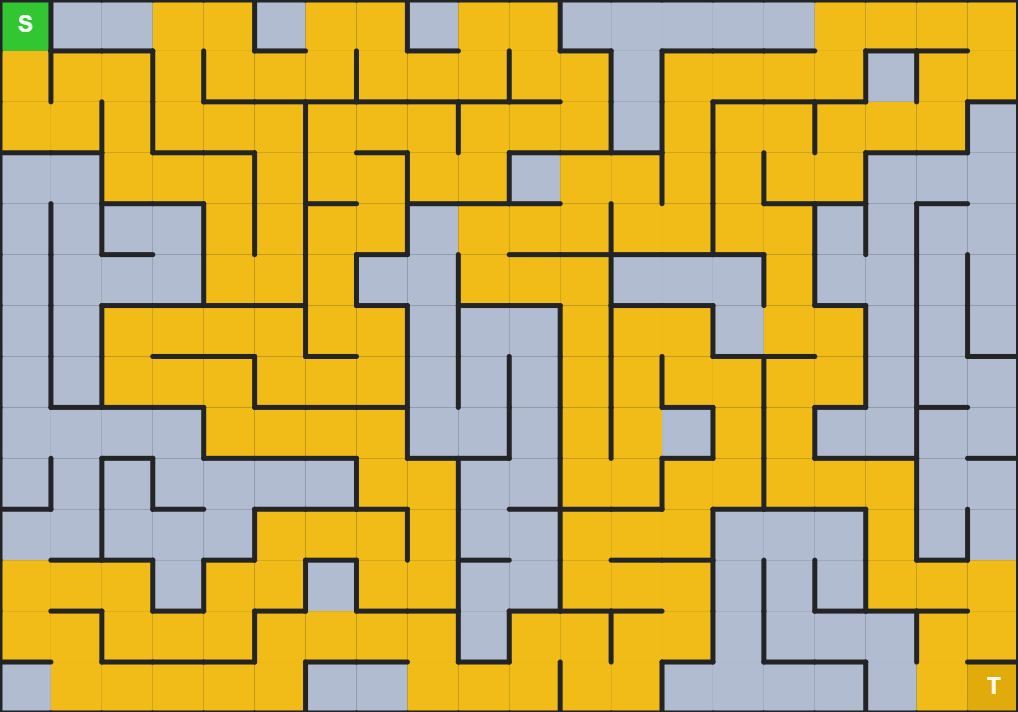
The same recursive backtracking algorithm from the island saga — called DFS (depth-first search: follow one path as far as it goes, then back up and try another) — applied to a completely different problem: carving a perfect maze and then navigating it.
Watch Build carve every passage, View Solution highlight the shortest path in gold (found instantly with BFS, breadth-first search: spread outward one step at a time until the exit is found), and Solve send a recursive DFS agent down dead ends and back out again before finding the treasure.
Uses SWMaze — a new class modeled after SWIsland.
Islands vs. Mazes Guide
Same recursive DFS skeleton — two completely different domains. This page compares the island saga and the maze apps side by side: what they share, where they diverge, which context teaches which concept best, and seven discussion questions to dig deeper.
Read the Comparison →How Maze Carving Works Guide
A detailed walkthrough of the DFS wall-carving algorithm — how walls are carved two sides at a time, what the teal frontier cell means, and exactly how the algorithm knows where to pick back up after reaching a dead end.
Read the Walkthrough →SWMaze Class Reference Reference
Full API documentation for the SWMaze class: the cell data
model, direction table, both DFS algorithms (generate and solve),
complete step-queue schemas, all getters, and side-by-side comparison
with SWIsland.
VARIANT
v2: Resume Junction
Maze 2: DFS Solve + Resume Junction Variant
Identical to Maze 1 — except one color has been added to the Solve phase. After each backtrack, the cell the DFS retreats to glows orange: the resume junction, where it will now try a different direction.
Compare Maze 1 and Maze 2 side-by-side: does the orange junction highlight make it easier to follow the moment the algorithm “picks back up” after a dead end? One extra color — same algorithm.
The only code difference from v1: a 'resume' cell state and one colResume HSB color.
Destination: Recursion Retrospective
The end-of-saga retrospective. Surveys the five most common places
recursion appears in real software, walks the full saga stage by stage,
and gives an honest accounting of what the SketchWave utility classes
— SWGrid, SWColor, SWSquare,
SWPoint, SWLine — simplified and what they cost.
Seven takeaways to carry into your next project.
Read the Retrospective →