
Here we are in a web design/programming class, feeling lost(?) and uncertain about what we will be facing.
This saga attempts to introduce the Fantastic Four of web development and will hopefully ease our way into an understanding that will make us coding superheroes!
(It doesn't hurt either to know the expectations our beloved TTG has for us during our training!)
Radical Rules Development Stages
Stage 0 -- Unmarked raw text saved as an html document. If you download the original text file, you will notice it is configured differently because it is a .txt file! (File extensions determine nature.)
Stage 1 -- Simple markup but 'invalid' structure. We 'markup' content primarily according to desired structural function, utilizing Google searches (often at W3Schools! ) to get ideas on what 'tags' to use. Special symbols (ones not on the keyboard) can be incorporated as HTML Entities and although it is very old-fashioned, we can use some inline CSS styles to add some 'heart' (style) to our pages using equation-y looking things called 'attributes.'
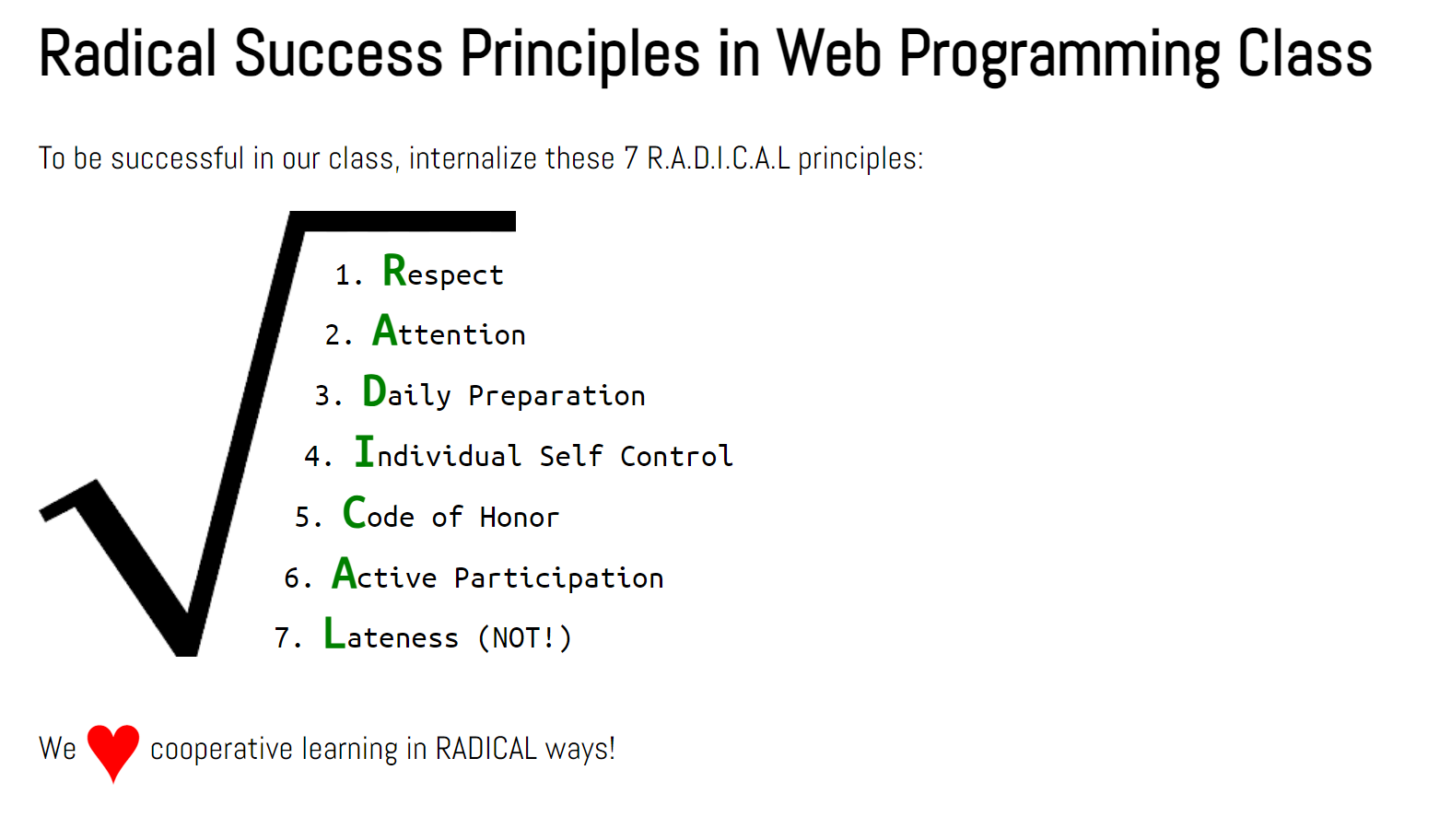
Stage 2 -- Eureka! Our page validates once we stole -borrowed- a framework from Bootstrap 5. Now we can go about the work of making our page look really spiffy (like in the picture above) using Google Fonts and CSS! (and eventually, responsive with Bootstrap5).
Stage 3 -- In this stage, we 'wrapped' the heading, paragraphs and ordered list in a main tag, creating a container that we could target using a CSS 'tag selector' as shown in the source code.
It's common, in the initial stages of design, to give a background color to an element so we can 'see' it. It's like scaffolding on a building under construction: once the building is done, the scaffolding is removed. Notice that in addition to the color, we gave it a horizontal 'width' with 'auto' margins: they force the element to center within the body parent element.
We also added a link back to this 'Home' page (for convenience).
Stage 4 -- In this stage, we styled the li, (list item) elements, collectively as upper-case - with a bolded look and vibrant color.
We took a bold step too, by putting each of the first letters of each item in a span tag and used a 'compound selector' li span to make each letter larger. We also made it's font 'monospace' so that the letters have the same width.
Stage 5 -- We needed to make the radical symbol a 'background image' (like a carpet) to the set of rules. How did we do it? Once more, we wrapped the ol in a parent 'wrapper': a div and used crafty styling on that div by targeting it via an id="theRules' attribute.
From there it was pretty easy to apply a background-image property (with some modest tweaking) a background-color and a few other adjustments to get the rules themselves to align within the radical symbol.
Notice also how we applied a type="A" attribute to the ol element to get capital letters. Just to show that we could!
Stage 6 -- As final polish, we linked to some Google fonts and applied them via some class techniques and used some inline CSS to apply negative margins to each li to get the list items to better align with the slant of the radical symbol
At this point, there's no Bootstrap in our design but with the removal of the temporary background colors, this design doesn't look bad!
Don't look now,  but when you load this stage, hover over the list or 'rules.' What do you see? Try it! We added a superpower via JavaScript! Study the source code carefully and you just might figure it out!
Notice however, that if you resize the browser window to a smaller size, you have to scroll horizontally to see the entire content. Horizontal scrolling is considered 'gauche' and should be avoided! This looks like a job for Bootstrap!
Stage 7 -- To make sure we demoed all of the 'Fantastic Four' we added Bootstrap5 to this page via a CDN.
Resize  the page and see how the content adjusts itself well to the environment. That's what Bootstrap does! Web detectives! Can you identify the 'stuff' that's 'Bootstrapean' in nature?!