Sprocket Got the Hook.
You Don’t Have To.
The poster that humiliated him is 95 lines of HTML and CSS.
The only talent it takes to build it is the talent to ask the right question.
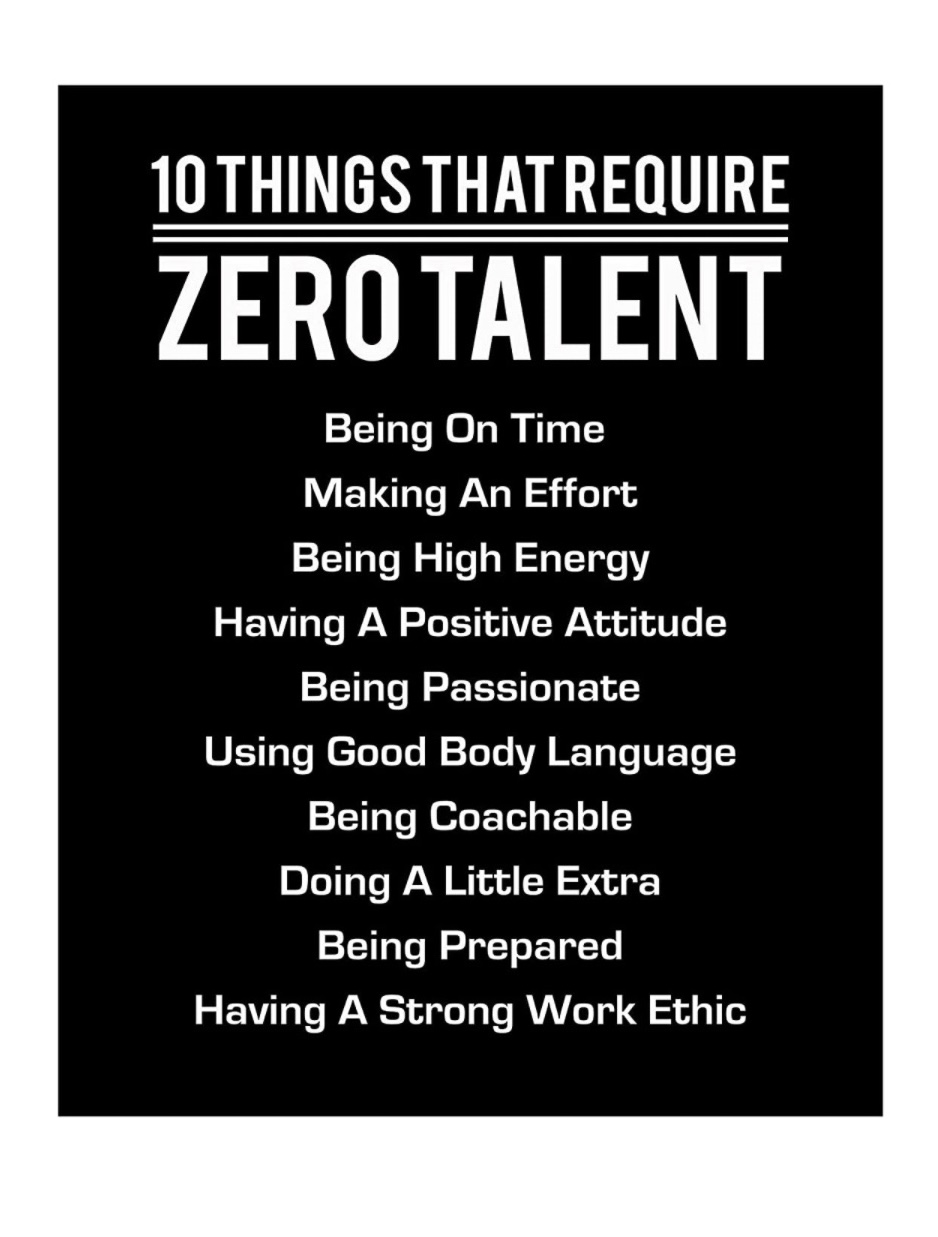
This Is What You’re Building
A motivational poster: solid black background, white text, two heavy condensed headlines, a double-rule divider, and a centered list of ten items. No image files. No JavaScript. Only HTML and CSS.
The gap between what your eye sees and what a browser renders from code — that’s the lesson. The sections below show every CSS rule and HTML element that closes that gap.
Poor Sprocket. He bounded onto the stage with enormous enthusiasm, a jaunty top hat, and absolutely zero talent. The cane came out before the second act. His name is on the marquee: “Sprocket’s Big Disaster.” The audience still applauds — but only because watching him get the hook is half the fun.
Here’s what Sprocket never had: you, a text editor, and an AI that can translate “bold black poster with a giant headline” into working CSS. The poster he inspired — 10 Things That Require Zero Talent — is 95 lines of HTML and CSS. No JavaScript. No images. No library. Just the two languages that underlie every webpage ever built, used deliberately.
Developing the talent to read an image and see its code beneath? That’s not zero talent. That’s yours. The framework and CSS breakdowns below show exactly how it was built.
The Framework and the Styling
This poster is 95 lines of HTML and CSS. Here’s what each layer does.
The HTML Framework
The HTML is a skeleton of just five elements. There is no JavaScript, no external image, no library — only structural tags and text. The browser does the rest.
<head>. One file, zero dependencies.
border-top and border-bottom with nothing between them.
<div> made enormous by CSS. Not an <h2> because the styling is what defines it, not the semantic tag.
<li> items. The CSS removes the default bullet points and centers the text.
The CSS: The Secret Sauce
All the visual magic is CSS. Six rule sets, each doing one precise job. Take away any one of them and the poster falls apart.
display:flex; justify-content:center; align-items:center on body centers the poster perfectly on every screen — one of the most useful CSS patterns you’ll learn.
background:#000; color:#fff on .poster. That is literally the whole contrast story.
font-family: Anton is a Google Font — not loaded here, so the browser falls back to a generic sans-serif without it.
text-transform: uppercase forces all-caps display without changing the source text. The HTML says “Zero Talent”; CSS shouts it.
font-size: clamp(4rem, 12vw, 8rem) makes the giant headline responsive — it scales with the viewport but never goes below 4rem or above 8rem.
border-top:4px solid white; border-bottom:4px solid white; height:14px creates two parallel lines with a gap — without any line-drawing at all. Pure CSS geometry.
Complete HTML — 95 Lines
CSS is embedded in the <style> block (lines 10–70).
Use the Copy button to copy clean source into any text editor or browser.
The Secret Sauce
Now that you’ve seen the code, here is the question: what does this page look like without any CSS at all? No fonts, no colors, no flexbox, no layout — just the raw HTML structure sitting naked in a browser.
The answer is both surprising and instructive. Every visual property you see in the poster — the black background, the enormous type, the centered list, the double-rule divider — is entirely CSS. The HTML is just bones.
See It Without the CSS →